![Logo_white-without-background (1).png]](https://help.primetag.com/hs-fs/hubfs/Logo_white-without-background%20(1).png?height=40&name=Logo_white-without-background%20(1).png)
General Details
To create a new campaign, click the ruler icon on the menu's left side and select New Campaign on the right side. Start by editing the campaign name and adding labels in the top-left corner. Then, complete the following General Details:
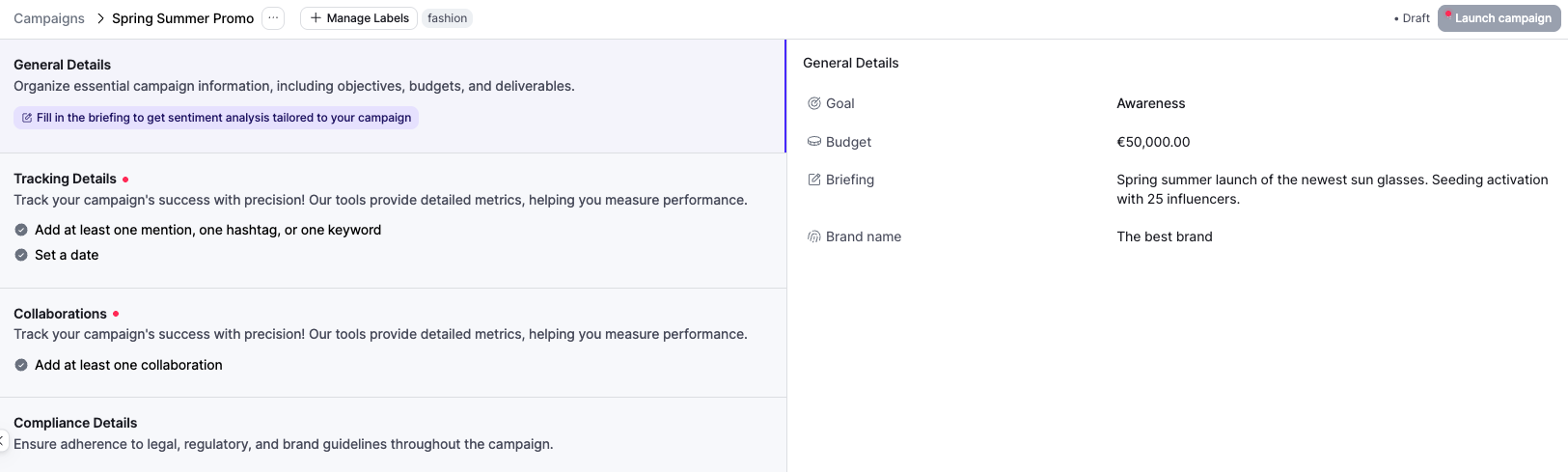
- Goal: Choose the primary objective of your campaign. This selection will only determine the order of KPIs in the campaign report and can always be edited.
- Budget: Enter your campaign's total budget (optional).
- Briefing: Provide a concise summary of the campaign’s key message and strategy. This information will be considered in the final sentiment analysis of all in-feed publications within the campaign.
- Brand Name: Enter your company's or client’s name.
Tracking Details
Once your General Details are ready, click on the left panel to proceed with Tracking Details. These settings ensure automatic tracking of the content published by your collaborators during the campaign:

- Hashtags: Add one or more campaign hashtags.
- Mentions on Instagram and TikTok: Specify one or more brand mentions.
- Keywords: Include any keywords that should appear in captions.
- Date Range: Define your campaign’s start and end dates, which can be in the past or future.
Collaborations
Click on the final step and add your collaborations and their terms efficiently:
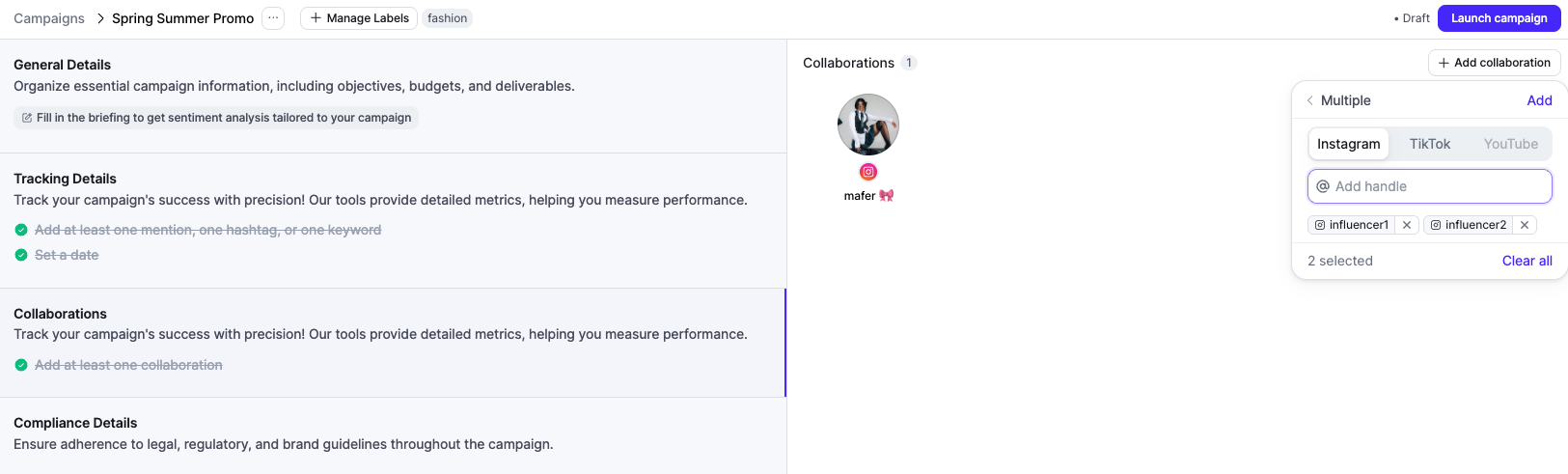
1. Click Add Collaboration and choose between:
- Single: Add each collaborator individually.
- Multiple: Use bulk creation by pasting a list of influencers from an Excel sheet to create all collaborations at once.
2. When you click on a collaborator, you'll see their connection status next to their username, either Connected or Not Connected to Primetag. This status determines whether the private KPIs shown for each tracked content are real (retrieved from the official network API) or estimated (used for metrics such as reach or impressions).
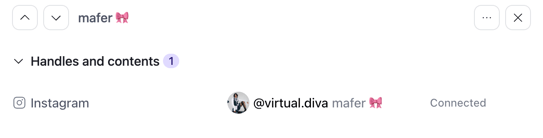
To ensure all creators are connected to Primetag, copy the connection link shown for non-connected talents, share it with each creator, and ask them to follow the steps outlined in this article.
3. Once collaborators are added, you can:
- Link additional social media handles (if the talent will post on multiple networks).
- Specify the collaboration terms:
- Briefing: Provide unique content guidelines for individual talents.
- Sponsor Fee: Indicate their financial compensation.
- Offers & Gifts: Note any products or services provided and their monetary value.
- Image Rights: Define payment for using the influencer’s content on your channels or paid media.
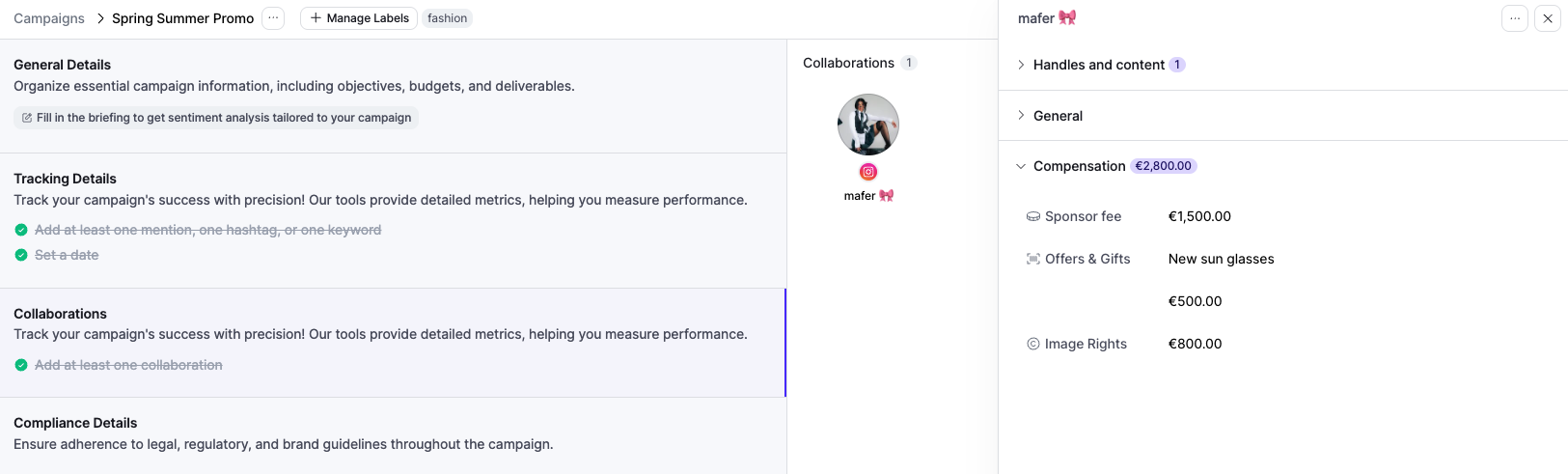
All these fields are optional, so you can skip them if needed.
Once all the required fields are filled out, click Launch Campaign in the top right corner to make your campaign live. Content tracking will start automatically!
If you have any questions or need further assistance, feel free to contact our Support team at support@primetag.com. We’re here to help!