![Logo_white-without-background (1).png]](https://help.primetag.com/hs-fs/hubfs/Logo_white-without-background%20(1).png?height=40&name=Logo_white-without-background%20(1).png)
Refer to Step 4 of this article to access a complete step-by-step guide available in multiple languages, ready to share with your collaborators. You will also find a full video tutorial explaining how to connect a talent with Primetag.
1. Main Requirements
- Have an Instagram Business / Creator account.
- Have a Facebook page linked to your Instagram Business / Creator account.
- Have access to your Instagram account and the Facebook account with the linked page from the device you’ll use to register.
If you don’t meet any of these requirements, proceed to Step 3.
2. How to collaborate with a brand on Primetag?
You’ve just received a link from your agency or from the brand you’re going to collaborate with. Click on this link and then select Connect Meta account.

First, you’ll see a Facebook pop-up asking if you want to “Continue as… (your name on Facebook)”. Make sure this is the Facebook account linked to your Instagram account. Select Continue as (your name).

Then, you’ll see a pop-up to connect to Instagram. Simply click on Get started.

Next, you’ll need to log in to your Instagram account using your username, email, or phone number and password. Then click Log in.

As mentioned in the initial requirements, you must have a Facebook Page created from your profile, and it must be linked to your Instagram account (if not, skip to step 3). Select the Facebook Page you have linked to your Instagram account.
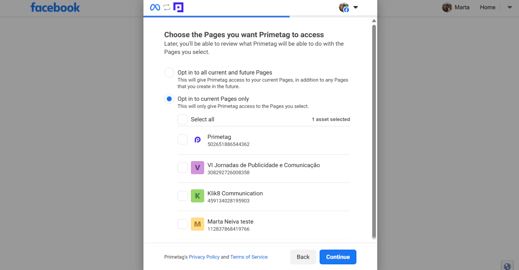
Next, select the professional account linked to your Facebook Page that you want to connect to your Primetag account (it must be your creator / influencer account).
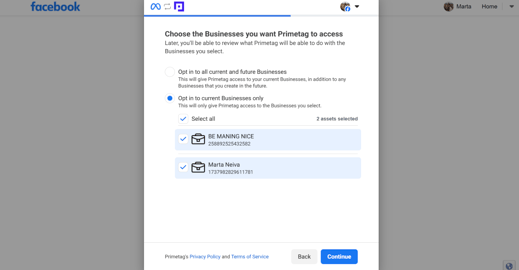
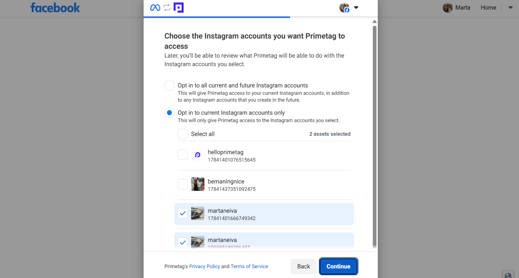
If you have followed the steps correctly, you will now be able to select your creator / influencer account to connect it with Primetag.
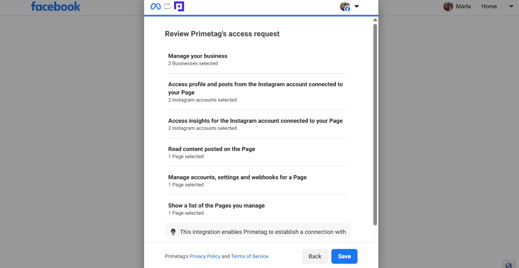
In the next step, Facebook will inform you about the permissions you’re granting to Primetag during registration. You’ll only be sharing follower data and the performance of your posts. The other points refer to your Facebook page, which we don’t use directly; we only need it as a means to establish the connection. We’re Meta partners.
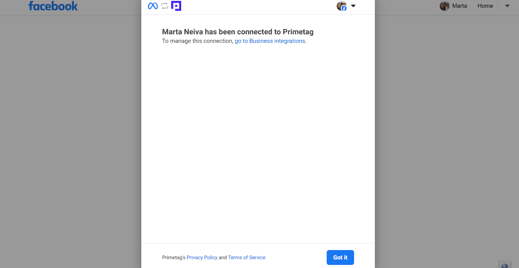
Finally, you’ll see a message confirming your connection to Primetag:
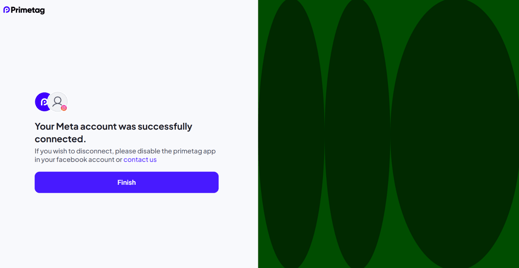
In the end, you’ll be redirected to Primetag and informed that your Meta account is now connected:
3. How to create a Facebook page and link it to your Instagram account?
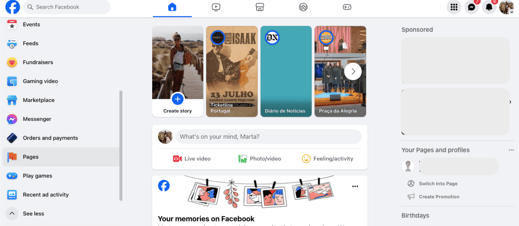
First, from a device with access to your Instagram and Facebook accounts, go to your Facebook profile. From the left-hand menu, select Pages > Create Page.
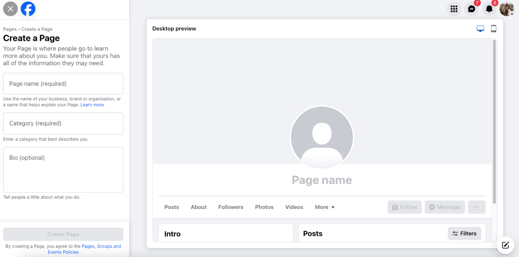
Once you’ve created your new page (you don’t need to fill it out completely, just create it), go to the left-hand menu of the page and select Permissions > Linked accounts. In this section, click on Connect Instagram and enter your Instagram login credentials.

If you're unable to complete your registration on Primetag, please contact support@primetag.com for assistance. Our team will be happy to arrange a personalized session to help you.
4. Ready-to-share documents & video
Below are the steps to register on Primetag, available in the following languages:
Also, don't forget to watch the following step-by-step video: