![Logo_white-without-background (1).png]](https://help.primetag.com/hs-fs/hubfs/Logo_white-without-background%20(1).png?height=40&name=Logo_white-without-background%20(1).png)
With Primetag’s Compliance feature, you can ensure that influencers in your campaigns are meeting legal advertising requirements and fulfilling the conditions set out in your collaboration agreements.
After setting up a campaign for the first time, go to Settings > Management & Monitoring to configure your Compliance Details. Here, you can define the criteria that will be checked daily across all tracked in-feed content:
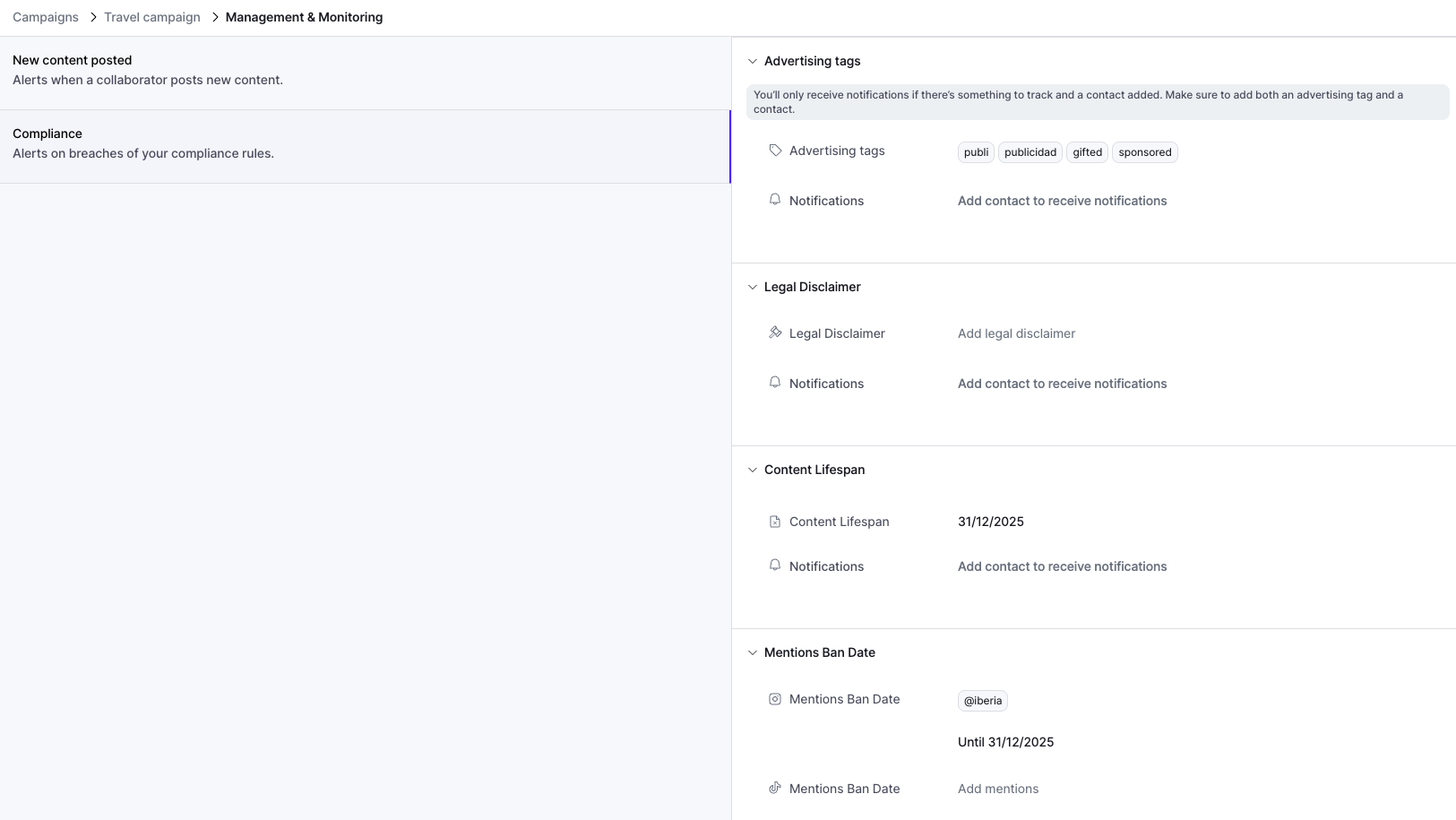
- Advertising tags – Keywords or hashtags that indicate promotional content (e.g., #ad, #gifted, #collab, #sponsored). Since advertising requirements vary by country, contact your dedicated Customer Success Manager to learn which tags are most suitable for your campaigns.
-
Legal disclaimer – If the promoted product or service falls under regulated categories (e.g., age-restricted, adult-only, or medical), influencers must include the appropriate legal disclaimer in their content.
-
Content lifespan – The minimum period that content must remain live on the creator’s account, as agreed in the contract.
-
Mentions ban date (Instagram and TikTok) – Competitor or brand mentions that should not appear in the influencer’s promotional content, along with the agreed ban period stated in the contract.
For each compliance rule, you can specify which Contacts should receive notifications via email and/or WhatsApp. To add contacts to your account, go to the general Settings section in Primetag. You may add an unlimited number of contacts.
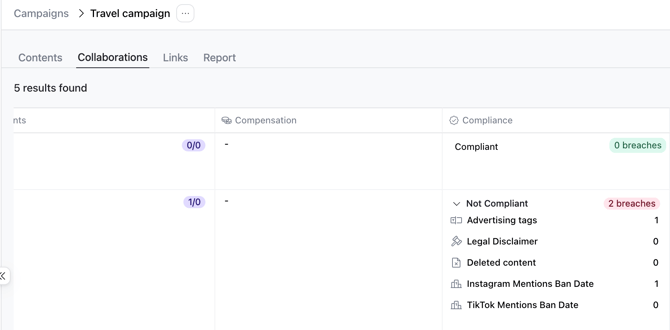
Once your campaign is active, and as Primetag collects each in-feed piece of content, you’ll be able to review the Compliance column within the Contents and Collaborations tabs. This section highlights the number of breaches (if any) and their source.
Compliance is an add-on feature within the Campaigns section. If it’s not currently enabled in your account, reach out to your dedicated Customer Success Manager to discuss including it in your plan.
If you have any questions or need further assistance, contact our Support team at support@primetag.com. We’re here to help!